
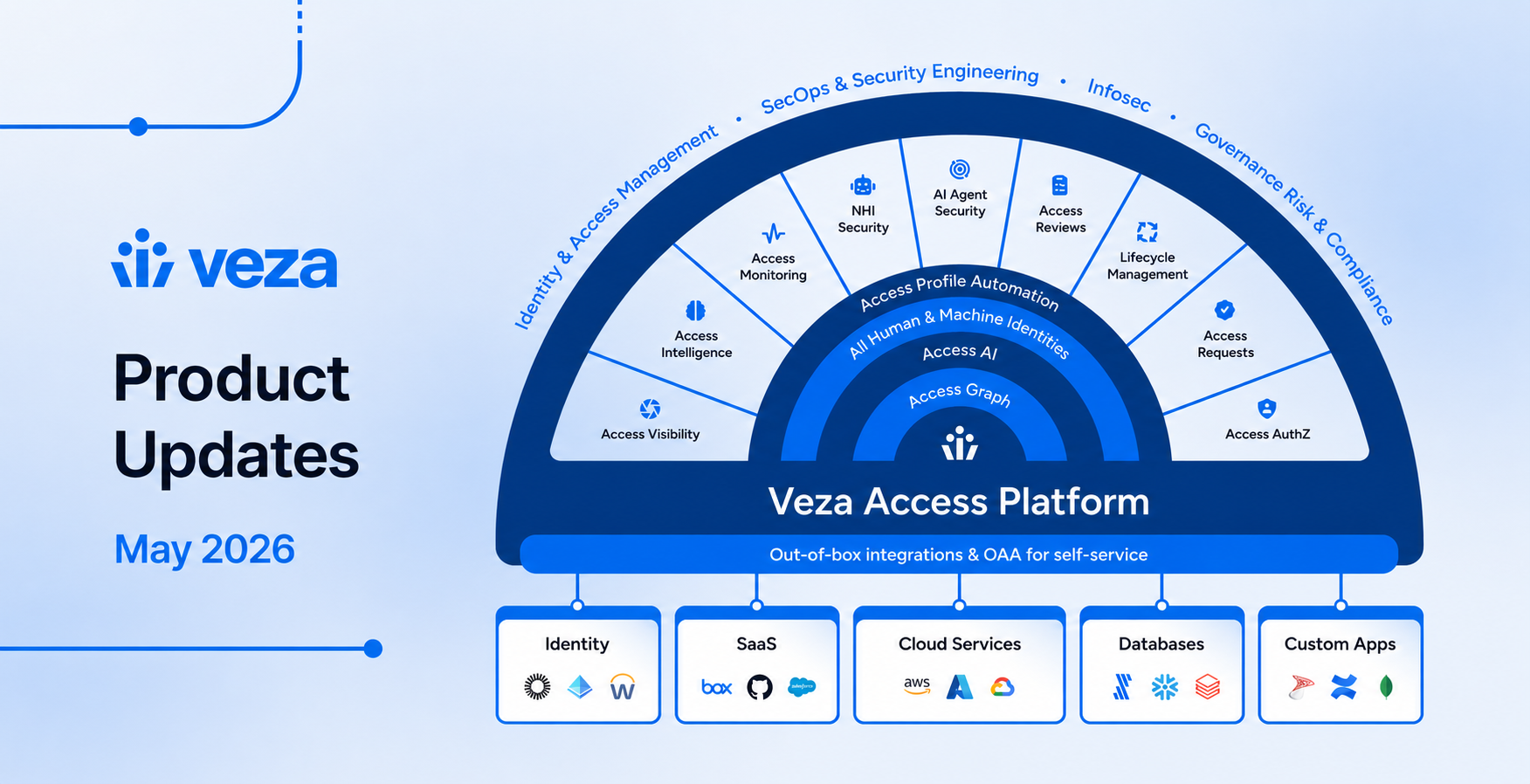
Veza product 2026.5 delivers enhanced time-to-value for access governance, bridging the gap between identifying security exposures and taking remediation action. New this month, teams can now trigger remediation within NHI and Access Intelligence products; a scoped Remediation Owner role enables customers, including security analysts, to act on findings while maintaining least privilege in Veza; and every assessment-query remediation now emits auditable platform events.
NHI ownership and AI Agent security support more non-human and AI agent identities. Copilot Studio bots and Intune devices are now assigned to human owners, and Entra ID App Registration secrets and certificates surface as trackable NHI credentials, alongside new Anthropic Claude integrations. Dedicated Models and MCP Servers views bring agentic AI infrastructure into the Access Graph. And the “Compare with prior review” is now generally available (GA) in Access Reviews, which features a new reporting surface designed specifically for application owners.
Highlights in this release include:
- Veza Integrations: MongoDB Atlas effective permissions in Access Graph; AWS Systems Manager Documents discovery; DocumentDB Service, Cluster, Database with collection-level permissions; custom Exchange Online admin role for least-privilege integration; tenant-adaptive SAP SuccessFactors extraction; AND/OR in Custom Identity Mapping property matchers.
- Access Intelligence: Open in Graph from every entity detail slideout; Access AI Explain on Access Graph results;
ASSESSMENT_QUERY_REMEDIATEDplatform event for every remediation attempt; live template values in ServiceNow, Jira, and Slack remediation previews; and dashboard updates including Compact View and My Focus as default; Limited-scope Remediation Owner role. - NHI Security: Remediate menu on NHI Accounts and Keys & Secrets pages (ServiceNow, Jira, Slack); Entra ID App Registration credentials (secrets and certificates) with expiration metadata; Intune device ownership attribution; ServiceNow manager attributes supported for assigning owners to non-human identities.
- AI Agent Security: New Anthropic Claude Admin Platform integration; Copilot Studio bot ownership from Dataverse; Dedicated Models and MCP Servers views for focused visibility on agentic integrations (Early Access).
- Access Reviews: Compare with prior review; exportable saved Reports, including per-application remediation; Application-based categorization; reviewer workflow improvements including persistent sign-off footer, per-reviewer progress, and quick filters by decision.
- Lifecycle Management: New Send SQL Command and Send XML Payload provisioning actions; Duplicate Identity Resolution in the policy editor; and Write Back Email after a Google Workspace Sync Identities action, validated at publish time.
Please see the sections below for detailed notes on each product area, and contact your Veza representative with your questions or feedback.
Veza Integrations
New Capabilities
MongoDB Atlas Effective Permissions (GA): The MongoDB Atlas integration now extracts permissions and generates effective-permission nodes in the Access Graph, with users and teams as principals.
Effective MongoDB Atlas permissions are now available in queries, dashboards, and Access Reviews alongside the rest of the Access Graph. Previously, MongoDB Atlas resources were visible, but without effective permissions. See MongoDB Atlas.

Access Graph showing MongoDB Atlas users connected to databases through roles, with effective permissions resolved
SAP SuccessFactors Tenant-Adaptive Extraction: The SAP SuccessFactors integration now extracts Is Contingent Worker and Work Location as user properties in the Access Graph.
The integration now adapts to the tenant’s property configuration and skips any properties unavailable in a given deployment, rather than failing the extraction. See SAP SuccessFactors.
AWS Systems Manager Documents: The AWS integration now extracts Systems Manager Documents (SSM documents) alongside Parameter Store entries, surfacing the runbooks, Run Command definitions, Session Manager configurations, and other document types that drive Systems Manager workflows.
Security teams can now find documents created in their accounts and attribute the IAM roles and users with permission to read, modify, or invoke them, including documents shared from other accounts. Veza enriches customer-owned documents with status, sharing relationships, content hashes, and document-type-specific attributes (Automation assume role ARNs; Session type, Run As, and KMS key for Session documents). See AWS Systems Manager Documents.
Integration Enhancements
Azure App Owner Organization ID: Azure Service Principal nodes in Access Graph now include an App Owner Organization ID property. Teams can use this attribute to identify which Enterprise Apps have an associated App Registration owned by their own tenant, distinguishing first-party registered applications from Microsoft-managed and third-party applications in query results and access reviews.
Azure Group App Role Assignment Pagination: Earlier releases capped enterprise application role assignments at 20 per Azure AD group due to the Microsoft Graph response format. A new Separate group app role assignment pagination option for the Azure integration fetches all assignments from the dedicated /groups/{id}/appRoleAssignments endpoint. Enable this setting on any Azure integration where groups are expected to have more than 20 application role assignments. See Azure.
ServiceNow User Extraction Filter Picker: The User Extraction Filters section in the ServiceNow integration configuration now provides two modes:
- Structured: filter using the User Types multi-select (Employee, Web Service Access Only, Internal Integration) and the Company text field.
- Raw query: write a ServiceNow
sysparm_querystring directly.
Previously, when both were populated, the raw query silently overrode the structured filters. The choice is now explicit, and the UI surfaces which mode the integration is using. See ServiceNow.
OR/AND Toggle for Property Matchers in Custom Identity Mapping: When a Custom Identity Mapping has more than one property matcher, an OR/AND toggle now appears next to the Property Matchers header in the Mapping Configuration form. The toggle controls how matches across all property matchers in that mapping combine.
- OR (default) links a source entity to a destination entity when any property matcher finds a match. This preserves the prior behavior.
- AND requires that every property matcher in the mapping match before Veza links the entities, supporting stricter identity correlation when a single signal is not enough.
- The toggle applies to the mapping as a whole, not to individual rows. The selected operator is also rendered between matcher rows, so the combined logic is visible even at a glance.
DocumentDB Integration Overhaul: The AWS DocumentDB integration is restructured into a three-tier model (Service, Cluster, Database) that aligns with Veza’s other database integrations and adds first-class collection discovery.
- Clusters now appear on the Datasources page as their own datasource type, each with its own discovery status, logs, and error visibility, instead of being reachable only through the database datasource.
- Collections are extracted as a first-class entity. Each collection appears as its own node under its parent database, with role and user permissions resolved at the collection level.
- User extraction no longer duplicates the same principal across databases. Each DocumentDB user surfaces once per cluster, matching how MongoDB-compatible authentication actually scopes users.
- Inherited role permissions are now resolved through the Access Graph. If a role grants a permission on an object and a user inherits that role, Veza reports the user as having a relation to that object.
- Every DocumentDB user node reports its Authentication Mechanism as
SCRAM-SHA-1(TLS), the only mechanism DocumentDB exposes through its API. - Transient AWS discovery failures (for example, a connection timeout or a missing password configuration) no longer cause Veza to remove existing DocumentDB Cluster datasources. The datasource is preserved and retried on the next discovery run, with the failure surfaced on the datasource’s error status.
- DocumentDB credentials can now be configured through AWS Secrets Manager in addition to direct entry on the integration. Use the cluster ARN prefixed with
documentdb:as theresource_id. See Using AWS Secrets Manager for Database Extraction. - Veza explicitly adds the
admindatabase to discovery for any DocumentDB cluster whoselistDatabasesresponse omits it, so admin users and roles are still extracted.
See AWS DocumentDB.
Exchange Online Custom Admin Role: The Microsoft Exchange Online integration no longer requires the broad Exchange Administrator Microsoft Entra ID directory role. Customers can grant the integration’s service principal a custom Exchange Online admin role group containing only the management roles the integration actually uses.
- Extraction-only deployments need View-Only Recipients and View-Only Configuration.
- Deployments that also use Lifecycle Management add Distribution Groups, Mail Recipients, and Recipient Policies to cover
Set-Mailbox,Set-CASMailbox,Remove-Mailbox, and the distribution group write cmdlets. - The role group is created, and the service principal is added via Exchange Online PowerShell (
New-RoleGroup,New-ServicePrincipal,Add-RoleGroupMember). The Exchange Admin Center UI cannot add service principals to role groups. - Existing customers who have already granted Exchange Administrator continue to work unchanged. The custom role is the recommended path going forward, not a forced migration.
See Exchange Online.
Access Intelligence
Dashboards
My Focus as Default Landing: After sign-on, Veza now directs users to the My Focus dashboard by default instead of landing on alpha-sorted dashboards.
- My Focus provides a personalized view of pinned and recently viewed queries, making relevant information accessible immediately on login.
- My Focus is now anchored to the top of the Dashboards sub-navigation menu, making it the default destination when navigating to the Dashboards product area. See My Focus for more information.
Dashboard Compact View: Dashboards now include a Compact View option in the view toggle. Compact view reduces tile height, increases the number of columns displayed, and hides per-tile trend charts, allowing more query tiles to fit on screen for users who navigate dashboards with many tiles. For risk-bearing queries, each compact tile surfaces the query name, its risk level, and its risk count, providing an at-a-glance risk summary for better reporting.

My Focus dashboard in Compact View, showing more query tiles per row with each tile’s risk level and count
Create Dashboard Shortcut: A Create Dashboard entry has been added to the Dashboards sidebar, enabling quick generation of new dashboards from anywhere in the Dashboards navigation.
- Sub-menu icons for My Focus, Use Cases, and Dashboard Library shortcuts have also been refreshed, and the dashboard sidebar now loads faster.
- Additionally, Dashboards now use a unified page header layout across all subpages.
Show Destination Nodes on Query Detail Page: When opening a saved query on the Query Detail Page, you can now toggle Show Destination Nodes to add destination-entity columns to the results table, matching the existing behavior in the Query Builder. The toggle only appears for queries configured with a destination entity type. See Saved Queries.
Access AI
Access AI Explain on the Graph (Early Access): The Access Graph now includes an Explain action when Access AI is enabled.
- After a graph search loads, selecting Explain generates a plain-language summary of who can access what, how access flows between nodes, and which paths are most security-relevant.
- Analysts can use this to quickly understand complex traversal results without reverse-engineering the query, and to share interpretations with colleagues who don’t routinely work in Query Builder. See Access Graph for more information.
Remediation
Remediation Owner Role: Veza now includes a Remediation Owner role for users who need to act on access findings without broader platform access.
- Users assigned this role can view dashboards and Access Security query results, and trigger remediation actions such as ticket creation and account disablement, but cannot access the Query Builder, Access Graph, or integration configuration.
- The role is available for assignment in both root and non-root teams, serving as a tightly scoped role for analysts who triage and remediate without needing to author queries. See Roles.
Query Remediation Platform Event: Assessment-query remediations now emit an AssessmentQueryRemediated platform event for every attempt, covering notification dispatches (Email, Slack, Jira, ServiceNow) and direct Lifecycle Management actions (Deprovision Account, Remove User From Groups, Remove Direct Access).
- Each record contains the outcome (
SUCCESSorFAILED), actor, query, and action-specific details (notification ID, access-request ID, assignee, datasource, destination entity), providing a self-contained, queryable record of who remediated what and how. - A
SUCCESSindicates that the remediation was successfully dispatched (notification sent or LCM AccessRequest accepted), not that the downstream system has finished executing it.
See Remediation Events.
Live-Value Remediation Notification Previews: The notification preview for ServiceNow, Jira, and Slack remediation actions now displays live values for template variables, replacing the raw ${VARIABLE_NAME} placeholders previously shown in the preview panel. Reviewers can now confirm the exact message that will be dispatched before saving. See Remediation Actions.
Disable Accounts Integration Column: The Disable Accounts preview page now includes an Integration column that names the integration each account belongs to and shows whether that integration has Provisioning enabled or is Not Configured.
- The integration name links to the integration’s edit page, where admins can enable Provisioning, which grants Veza the write permissions needed to execute the disable action on that integration.
- Accounts whose integration does not have Provisioning enabled remain visible in the list but cannot be selected for the action.
See Disable Accounts.
ServiceNow Action Error Detail: ServiceNow action failures now include the response body (up to 2 KB) in the error message, rather than returning a generic error, making failures easier to identify and troubleshoot.
NHI Security
Enhancements
NHI Remediation Actions: NHI Security now features a Remediate menu on the NHI Accounts and Keys & Secrets page headers.
- Security teams can use this to trigger an action via ServiceNow, Jira, or Slack. Each notification includes a link back to the originating filtered NHI view, so recipients can quickly navigate to the same results. See Remediate NHI findings.

Remediate menu on the NHI Accounts page, showing Create ServiceNow Ticket, Create Jira Ticket, and Share via Slack actions
Entra ID App Registration Credentials as NHIs: App Registration client secrets and certificates extracted from Microsoft Entra ID now surface as Veza non-human identity access credentials with full metadata: creation date, expiration, client secret hint (for password credentials), and certificate usage and key type (for certificate credentials).
- This enhancement provides credential-level visibility into the secrets and certificates that authorize App Registrations, making expiration and rotation tracking possible directly in Veza. See Microsoft Entra ID (Azure AD).
Microsoft Intune Device Ownership: Each Intune-managed device’s primary user is now extracted as the device’s NHI Owner, typed as an AzureADUser.
Devices with no primary user remain unowned. Any others count toward “owned” NHIs in dashboards, to avoid inflating unowned-account totals. The change improves device ownership accuracy in NHI dashboards without any configuration changes on existing Intune integrations. See Microsoft Intune.
ServiceNow Manager Attribute: The ServiceNow integration now extracts the manager reference (sys_user.manager) as a manager property on each user, and a manager_id property on each ServiceNow group, surfacing the manager as a queryable attribute in the Access Graph.
Because these populate Veza’s standard manager identity property, the values are immediately available in queries, reviewer assignment rules, and access reviews. No further configuration is required. See ServiceNow.
AI Agent Security
New Management Pages
AI Models and MCP Servers Pages: AI Agent Security now includes dedicated management views that mirror the Agents page (Models and MCP Servers), enabling security teams to inventory each entity type across every supported integration from a single surface.
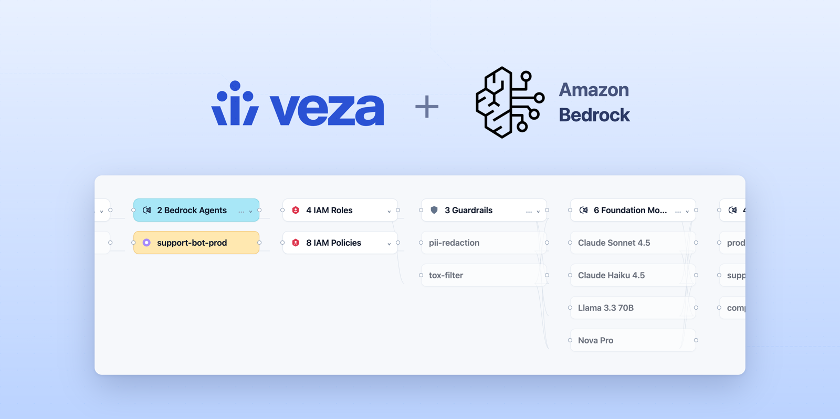
- Models lists every AI Model discovered across AWS Bedrock, Azure AI Foundry, Google Cloud Vertex AI, Microsoft Copilot Studio, ServiceNow, and other agentic integrations. Each row shows the model name, linked agent count (with one-click drill-in to the Access Graph), model type, platform, family, publisher, series, source integration, and creation timestamp. Filterable by integration, family, publisher, series, platform, or creation date.
- MCP Servers (Early Access) provides a similar view of MCP servers and their tools, with a Linked Agents column showing MCP-to-Agent relationships. You can filter by Tool Publisher, Integration, or Created At.
- Additionally, platform overview pages now feature “View All” call-to-actions with links to the filtered tables.

The Models page listing AI models discovered across integrations, with the Model Platform filter open

The MCP Servers page listing discovered MCP servers with Tool Publisher, Integration, and Linked Agents columns
See AI Agent Security: Supported Entities.
New Vendor Coverage
Anthropic Claude Admin Platform: Veza now integrates with the Anthropic Claude Admin Platform, discovering the identity and credential surface of your Anthropic organization (via the Anthropic Admin API), and evaluating AWS IAM access to Claude on AWS. See Anthropic Claude Admin Platform.
- The integration extracts organizations, workspaces, organization members with their role assignments (
admin,developer,billing,user,claude_code_user), workspace-level role assignments (workspace_admin,workspace_developer,workspace_restricted_developer,workspace_user,workspace_billing), and API keys (surfaced as non-human identity (NHI) entities with workspace scope, creator, creation date, expiration, and active/in status). - Anthropic users are correlated automatically with corporate identities from other connected providers via email, enabling access reviews and alert rules to include the Claude admin console alongside the rest of your environment.
- Veza is extending the integration to cover Anthropic’s Managed Agents API (Claude agents, tools, and models) in an upcoming release. You can confirm the current availability of Managed Agents integration with your Veza representative.
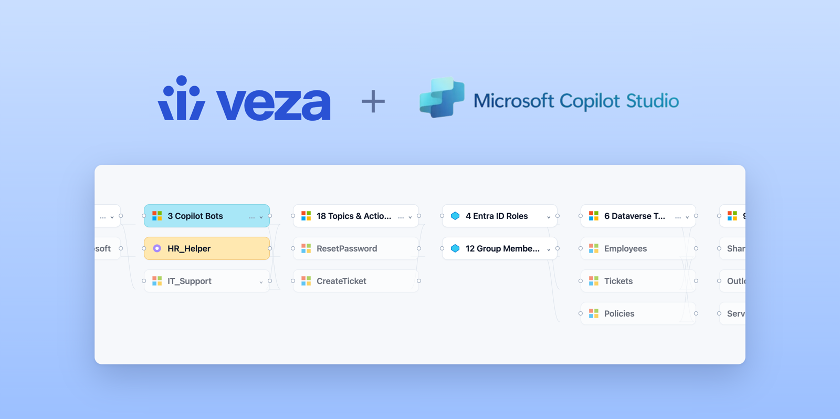
Copilot Studio Bot Ownership: Microsoft Copilot Studio bots discovered through the Azure integration now extract the bot owner from Dataverse and attach it to the bot entity for NHI ownership workflows. The owner principal (resolved to the canonical Entra display name for service-principal owners) is stored on every bot as the owner_name, owner_id, and owner_type properties (user, application_user, or team). When the owner is a human user with an Azure AD mapping, Veza additionally creates an NHI Owner relationship to the corresponding AzureADUser entity, making the bot a first-class participant in NHI Owner enrichment rules, suggested-owners, ownership-based access reviews, and routing.
- Bots owned by a service principal or a Dataverse team carry the resolved owner name as an entity property but are not linked to an
AzureADUserOwner; they continue to count as unowned for NHI Owner-based workflows. - Bots with no resolvable owner remain unowned and continue to count toward unowned-account totals.
See AI Agent Security: Microsoft Copilot Studio and Supported Entities: Microsoft Copilot Studio.
Access Reviews
Compare with Prior Review (GA)
Compare with Prior Review: The Compare with Prior Review feature is now generally available for all Access Reviews customers, enabling direct comparison of review rows against the immediate prior review originating from the same configuration.
- Reviewers can use this view, invoked from View > Compare with prior review in the reviewer interface, to compare rows in the current review against the immediate prior review.
- The view supports quickly assessing new, changed, removed, and unchanged access across reviews, and an option to group rows by that status is now available in the Grouped by dropdown. See Compare with prior review.

Reviewer interface in Compare with prior review mode, showing prior-review status and action columns alongside current decisions
Reports and Categorization
Access Reviews Reports: Access Reviews now includes a Reports section that lets operators create and save named, customizable views for different sets of reviews.
- Each Report saves the filter selection (Status, Labels, Applications), sort order, and the chosen set of visible columns, enabling you to configure and quickly return to a preferred view.
- Reports support export in Excel (.xlsx) format; each Report’s settings are saved and restored automatically on every visit.
- Reports appear in a new collapsible Reports section in the Access Reviews navigation menu. Use the + button next to the section header to create one, or the ⋯ menu option on a report to rename or delete it.
Categorize Access Reviews by Application: Access Reviews now supports organization by Applications, an assignable category that administrators define globally to represent the different types of systems under review, and assign to specific Review Configurations.
- Every review instantiated from a Review Configuration inherits its assigned Application name(s), providing teams a consistent way to filter and group reviews by business application.
- Manage Applications centrally on the Access Reviews > Settings > Applications page, or create them inline when editing a Review Configuration.
See Labels and Applications for Access Reviews.
Application Column for Reports: Reports now expose the Application Name column, enabling the saved review to serve as an application owner dashboard. Adding any of the following to a report’s visible columns shows per-review rollups for app owners and governance teams tracking remediation:
- Application Name: Application name assigned to the review’s configuration.
- Number of Items with No Assigned Reviewer: Coverage gaps in reviewer assignment.
- Number of Items Rejected, Number of Items Rejected & Fixed, and Number of Items Rejected & Not Fixed: Remediation breakdown for rejected access.
- % of Rejected Items Marked as Fixed: Single rollup metric for remediation completion.
Add columns from the column picker on the Reviews page, then save them to a Report so app owners can return to the same view. Administrators, Access Reviews Admins, and Operators can create and edit these Reports; Access Reviews Monitors and Watchers can open them read-only. See Access Reviews Reports.
Enhanced Reviewer Workflows
Persistent Sign-off Footer: Once at least one row in a review has a decision awaiting sign off, a persistent footer appears at the bottom of the page with running counts of Approved and Rejected decisions and the option to commit them.
- The footer stays visible as the table scrolls; selecting rows narrows the action to selected rows.
- The one-click Approve and sign off action remains available in the top toolbar.
- Reviewers no longer need to scroll back to the top of long reviews to commit decisions.
Improved Reviewer Progress Indicators: The Access Hub > My Reviews landing page now defaults to a reviewer-oriented column set, including a My progress column that shows each reviewer’s own signed-off and total rows for the review, rather than aggregate progress across all reviewers.
Quick Filter Reviews by Decision: Completion-status pills on a review’s results table (Approved, Rejected, Fixed, Undecided) are now interactive filter chips:
- Click Approved to scope the table to rows already approved and signed off.
- Click Rejected to scope the table to rows already rejected and signed off.
- Click Undecided to scope to rows still needing a decision.
- Click again to clear the filter.
Pre-Filled Default Due Dates: When creating a new Access Review, the builder now pre-fills due dates from the configured defaults on the selected configuration.
- A Recommended badge indicates when the selected date matches the configured default, with the option to Use recommended and restore default dates after making changes.
- Default due dates remain configurable via API at this time. See Create an Access Review.
Administration
Next Scheduled Run Visibility: The Review Configurations table now includes a Next Scheduled Run column. The Configuration details page also features a Next Scheduled Run section in the top banner, with options to create, edit, or delete the review schedule directly from the page. See Schedule an Access Review.
Reviewers Not-Equals Filter: The Reviewers filter in the reviewer interface now supports a Not Equals operator. Entering a username returns only rows where the selected user is not assigned as a reviewer, complementing the existing Equals and Contains operators introduced in earlier releases.
Filter Reviewer Interface Rows by Summary Entity Name: Reviews that include a Summary Entities column now expose a filter directly from the column header, letting reviewers narrow the row set to a specific summary entity (for example, a particular group, role, or intermediate resource on the access path) without leaving the reviewer interface.
- In a review whose query includes Summary Entities, open the Summary Entities column header menu and choose the filter option. The filter title is Summary Entities by Name.
- The filter supports standard string operators: Contains, Equals, Not Equals, Starts With, Ends With, Exists, and Does not exist.
- The filter requires the Summary Entities column to be present, which happens when the review’s underlying query is configured with Summary Entities under Advanced Options.
Risk-Level Banding Consistency: Risk scores assigned to review rows now map to the same risk-level bands used elsewhere in the product:
- Critical (≥ 75), High (50–74), Medium (25–49), Low (10–24), None (< 10).
Previously, Access Reviews applied a legacy algorithm with different thresholds. Existing reviews are unaffected; the updated bands apply to reviews created after this release. See Access Path Risk Score.
Clone an Access Review Configuration via API: A new endpoint, POST /api/private/workflows/access/{workflow_id}:clone, is available for duplicating an existing Review Configuration (including notifications, webhooks, reviewer assignments, automations, and the Limit Access list) into a new Review Configuration. The endpoint is available to users granted the Administrator, Access Reviews Admin, and Operator roles on the root team. See Clone Review Configuration.
Lifecycle Management
New Provisioning Actions
Send SQL Command Action: Lifecycle Management policies now support the Send SQL Command action type, which executes a SQL statement directly against MySQL, MS SQL Server, Oracle, and PostgreSQL targets. This goes beyond basic provisioning — a policy can run any single INSERT, UPDATE, DELETE, or stored-procedure call, with identity values safely bound as parameters, to automate create, update, and deprovision operations against a database-backed application.

Policy workflow editor configuring a Send SQL Command action, with a parameterized SQL statement and bound identity value
- Connection credentials are managed centrally under Lifecycle Management > Settings > Credentials with column-level encryption at rest, and an action can reference a stored credential or override individual connection fields inline.
- This action can be configured via the policy editor’s Add Action picker or policy update API, enabling automated SQL workflows on any supported relational database without an intermediate REST adapter. See Send SQL Command.
Send XML Payload Action: Lifecycle Management policies have a new Send XML Payload action type for XML and SOAP-over-HTTP provisioning.

Policy workflow editor configuring a Send XML Payload action, showing the action type, endpoint, and HTTP method
- This action reuses the existing REST authentication credentials for transport authentication and supports XPath-based response capture, enabling Veza to drive legacy SOAP endpoints that previously required custom middleware.
- The
Content-Typeheader is fixed totext/xml; SOAP 1.2 callers can override it through the action’s Webhook Headers map. Substituted values in the payload are XML-escaped automatically. For more information, see Send XML Payload.
Enhancements
Duplicate Identity Resolution: Administrators can now apply a Duplicate Identity Resolution rule to a policy to consolidate multiple records for the same person into a single identity record during workflow processing.
This handles cases where the upstream source of identity briefly emits multiple records for the same individual (for example, when a contractor is converted to an employee), and prevents duplicate provisioning or deprovisioning runs for that person.
- Administrators configure which fields identify records as the same person (for example, matching on
emailalone, or onemployee_idandcountrytogether) and a ranked order for selecting which record is authoritative. - Rules can be set on a policy’s primary source of identity and on any secondary source.
- Duplicate Identity Resolution can now be configured directly in the Veza UI; earlier in this release cycle the capability was available via the policy update API only.
- For configuration steps, see Duplicate Identity Resolution.
Workday Sync Identities Email Attribute: The Workday Sync Identities action now exposes an email attribute that policies can set to any value, useful when the authoritative email comes from outside the Veza-provisioned account (an HRIS field, a downstream IdP, or any other source).
This is separate from the existing Write Back Email action, which pushes the just-provisioned Veza email back to Workday at provisioning time. See Sync Identities.
Write Back Email After Google Sync Identities: Lifecycle Management workflows can now use a Google Workspace Sync Identities action as the upstream producer for a downstream Write Back Email action, removing the need for a separate Create Email step. Because provisioning a Google Workspace user also provisions a Gmail mailbox, Veza surfaces that provisioned email to the rest of the workflow the same way it surfaces an email created by Create Email.
- A Sync Identities → Write Back Email sequence is now a valid workflow when the Sync Identities target is Google Workspace — currently the only integration whose Sync Identities action provisions a mailbox. The provisioned Gmail address is written back to the source of identity.
- The write-back target is the source of identity that receives the address. Supported sources are Workday, Oracle HCM, Hi Bob, and any OAA Custom HRIS template that declares email write-back.
- Workflows that pair Sync Identities against any other (non-mailbox-provisioning) integration with Write Back Email still require a Create Email action between them.
For teams provisioning Google Workspace accounts from an HRIS source of identity, this makes Sync Identities → Write Back Email the recommended pattern for propagating the authoritative Gmail address back to the HRIS automatically. See Write Back Email and Sync Identities.
Write Back Email Workflow Validation: Veza now validates Write Back Email action prerequisites when a policy is published or updated. A workflow that contains a Write Back Email action with no upstream action that creates an email is rejected with a clear error rather than failing at runtime.
- Eligible upstream actions are Create Email, and Sync Identities against an integration that provisions a mailbox during sync (today, Google Workspace).
- The check walks each workflow’s action graph in the same order the runtime executes the actions, so a missing producer is caught even when actions are nested under conditions.
- If a Write Back Email action runs at execution time without an email available (for example, an integration whose sync did not surface the provisioned email), the action now writes an
ACTION_FAILEDevent to the activity log instead of silently skipping.
See Write Back Email.
Access Requests
Enhancements
Jira Catalog Definitions: Administrators can now create Jira Catalog Definitions to integrate access request workflows directly with Jira.
- When an access request is approved, Veza automatically creates a Jira issue using the configured Veza Action, then polls the Jira ticket and advances the access request state as the ticket progresses.
- Teams that route access fulfillment through Jira no longer need to maintain a separate handoff between Veza and the Jira ticketing workflow.
- For more information, see Creating a Jira catalog definition.
Access Visibility
Enhancements
Open in Graph Across Detail Views: The Open in Graph button is now available in the Node Details slideout across Agent Security, NHI, and other entity detail views.
Previously available only in Query Builder, clicking the button opens the selected entity in the Access Graph in a new tab, providing consistent graph navigation from every detail surface. See Access Graph.
Clearer Column Titles for Custom and Enrichment Properties: When an entity includes built-in properties and a custom or enrichment property with the same base name, the Query Builder results table now appends (Custom) or (Enrichment) to the column title instead of prefixing it.
- For example,
Is Guest (Custom)rather thanCustom Is Guest. - Columns with no name collision show the bare title.
Union Query Guidance: When Query Builder union queries restrict node-type options to those with a common entity-type grouping across query sets, the “no matching results” empty state now lists the allowed groupings, indicating why an expected type isn’t selectable. Single-query mode and unrestricted unions are unchanged.The 2026.4 release weaves AI-powered intelligence deeper into daily security workflows, embeds NHI governance actions throughout the platform, and broadens integration coverage with new ITSM and HRIS connectors. Teams gain richer query context, faster extraction performance, and more precise lifecycle automation.
Please note that individual releases can include additional bug fixes and performance improvements not detailed in this document. For more information about any features or bug fixes, contact your Veza representative.