
News and Highlights from Veza Releases
Identity governance now extends beyond traditional user lifecycle management into the realms of non-human identities, AI agents, and cross-system provisioning. To address these complexities, teams need governance tools that operate with precision and safety while automating business operations.
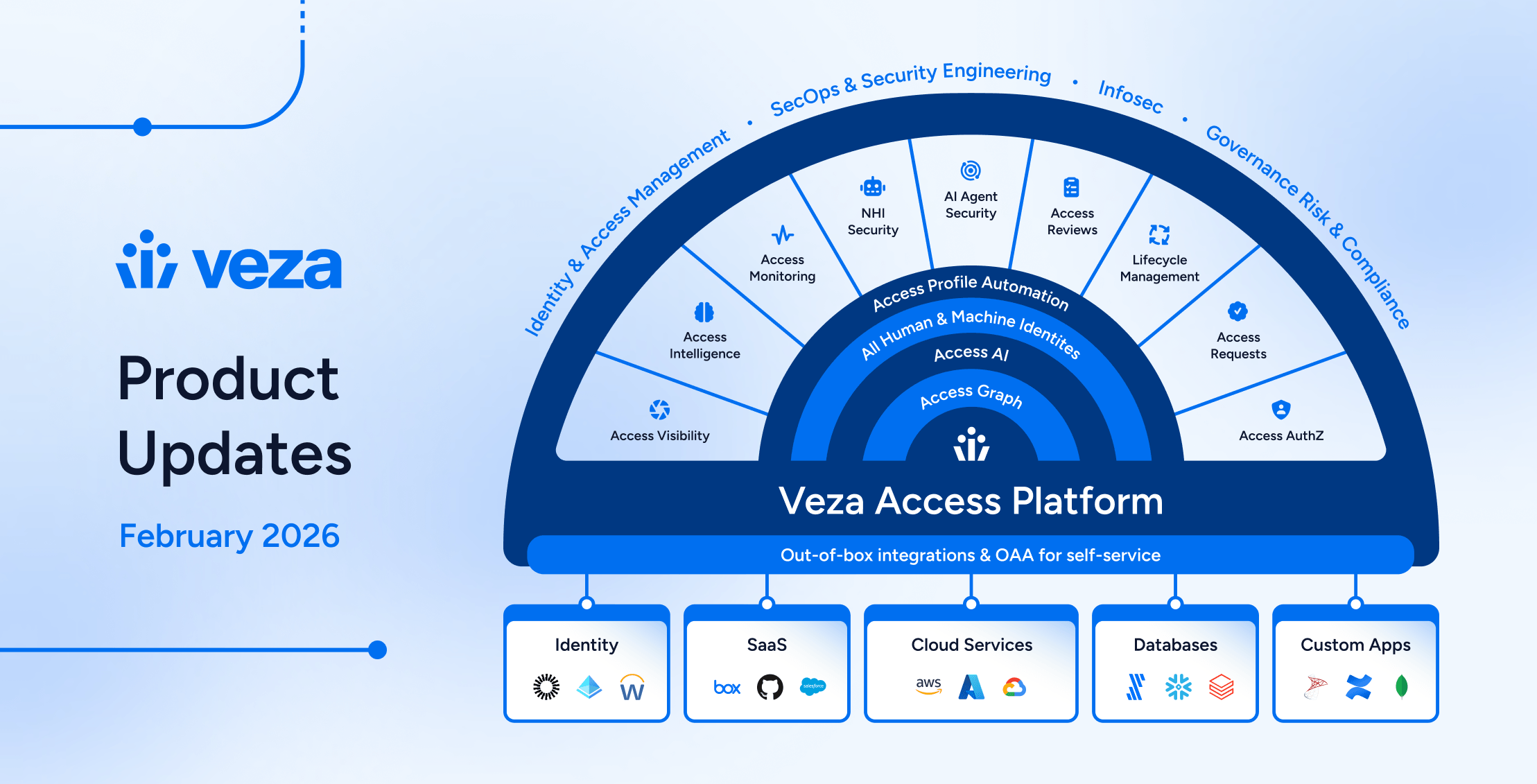
Veza’s 2026.2 release introduces new capabilities for security engineers, app and data owners, and IT, IAM and audit teams, with highlights including:
- Enterprise integration enhancements (Active Directory, CyberArk, Oracle EBS, Okta) expand reliability and visibility across enterprise identity infrastructure.
- Veza Platform now features a redesigned global navigation with three-column layout, with Reports and Dashboards transformed into a unified experience.
- Access Visibility now includes Query Builder union queries, enabling users to combine multiple independent query sets and view merged results in a single table.
- Access Reviews support Slack as a direct notification channel for reviewers, granular bulk action controls for administrators, and extended decision attribution for compliance reporting.
- NHI & AI Agent Security products now support the Public MCP Server Registry for extended authorization visibility into AI agent tooling ecosystems, and ServiceNow OAuth applications and tokens. Automated enrichment rules for NHI owner assignment are now available in early access, reducing manual governance overhead. An OOTB AI Agent Security dashboard helps teams track and remediate risks based on industry standards (OWASP, NIST AI RMF).
- Lifecycle Management now includes Predictive Safety Limits that block workflow runs before execution, granular change detection for precise mover workflows, and general availability of Send REST Payload actions for external API integration.
See below for complete details on each product area, and contact your Veza representative with questions or feedback.
Veza Navigation and Dashboards
Veza’s interface has been redesigned and refreshed, with a new global navigation and a unified Dashboards experience now available. This includes significant improvements for traversing products and features on the Veza platform, and working with Access Intelligence Dashboards:
New global navigation: A three-column layout replaces the previous sidebar with icon-driven primary navigation, a collapsible secondary panel for product sub-menus, and an enhanced top toolbar. Favorite features such as Dashboards, Graph Search, Query Builder, and Integrations are pinned to the top of the sidebar for direct access.
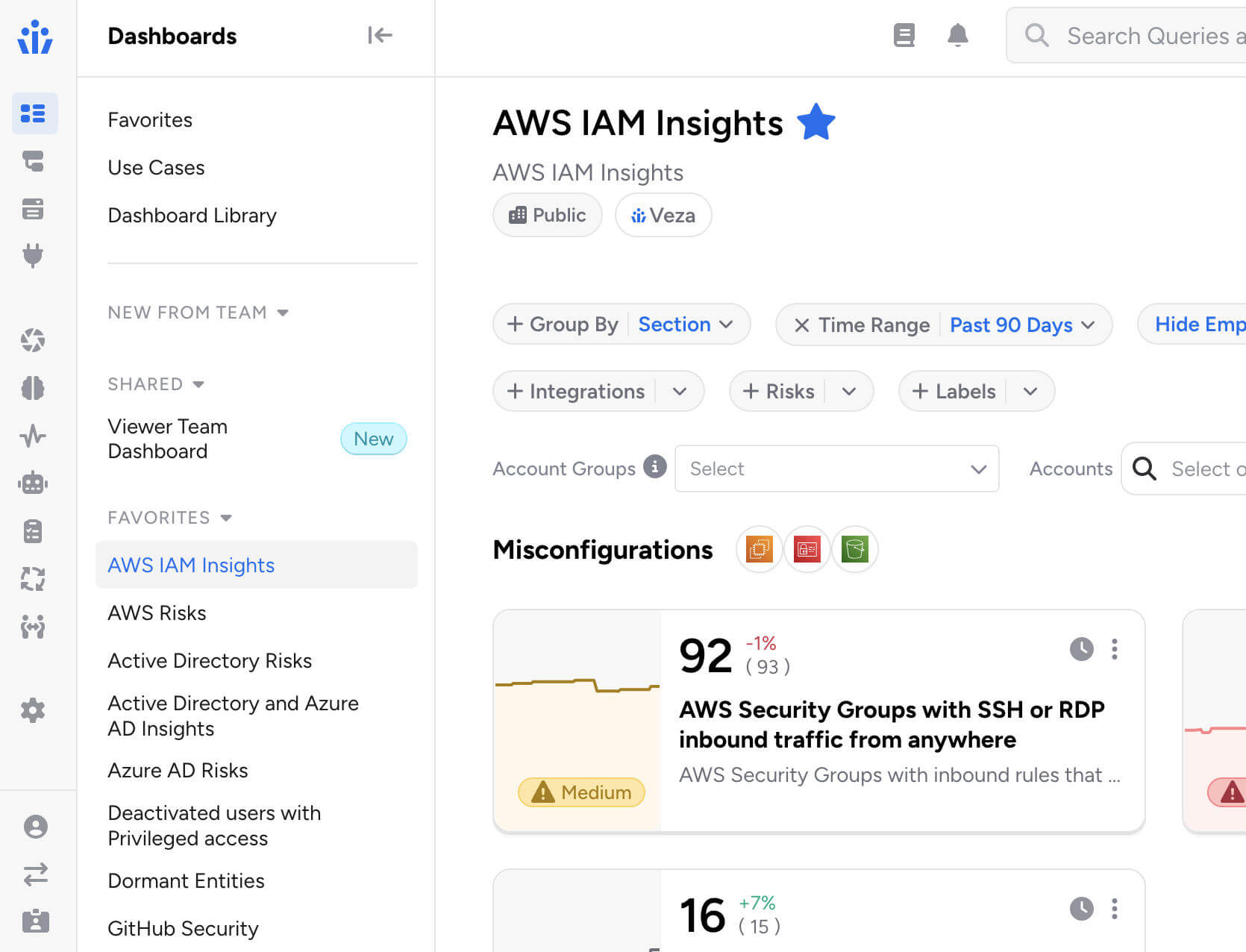
Unified Dashboards: Reports and Dashboards are merged into a single Dashboards experience, featuring tiles and list views alongside an improved full-screen dashboard editor. You can now switch any dashboard from tiles to list view using the controls at the top of the screen:

All existing reports are preserved and accessible in both tiles and list views. Saved links and bookmarks automatically redirect to their new locations.
Veza Integrations
Enterprise Integration Enhancements
Active Directory Domain Controller Failover: Added support for multiple domain controllers with automatic failover.
- Administrators can configure backup domain controllers using the new Failover Hosts field, or enable automatic DC discovery via DNS to dynamically discover all available domain controllers.
- Veza automatically fails over to the next available domain controller if the primary becomes unreachable during data extraction, ensuring uninterrupted collection during maintenance windows or outages.
CyberArk Identity External Groups: The CyberArk Identity integration now includes expanded visibility into external groups (such as Active Directory groups) assigned to Roles. This surfaces users who have role access through an external directory without a direct CyberArk Identity User account.
Oracle E-Business Suite Responsibility Key: The Oracle E-Business Suite integration now exposes the responsibility_key attribute for Responsibility entities, enabling queries using the short name identifier familiar to EBS administrators.
Okta Incremental Extraction Reliability: Enhanced incremental extraction to handle newly created users more reliably, particularly for users imported from Active Directory.
ServiceNow: Added support for integrations using OAuth 2.0 JWT Bearer authentication.
Custom Identity Mappings Performance: Significantly improved performance when configuring identity mappings for integrations with many Custom OAA applications.The Mapping Configuration dropdown now loads faster when hundreds of Custom Application, Custom Principal, or Custom IDP integrations are present.
SCIM Non-Compliant Response Handling: Added handling for non-compliant SCIM API responses where resource arrays are incorrectly nested. This enables Veza to integrate with SCIM server implementations that do not strictly follow the SCIM 2.0 specification.
SQL Server Legacy TLS Compatibility: Resolved connection failures with SQL Server 2008 R2 and other legacy versions by implementing automatic TLS version negotiation. Veza now handles servers that require TLS 1.2, eliminating connection handshake errors without requiring manual configuration changes.
Integrations UX Improvements: Several usability improvements for the Integrations management interface:
- Integration status and last sync timestamp are now displayed in separate, independently sortable columns.
- Pagination settings persist across sessions, preserving your preferred page size between visits.
- Integration error details now display in a more readable format with scrollable containers.
Access Visibility
Query Builder Enhancements
Query Builder Union Queries: Query Builder now supports query unions, enabling users to combine two or more independent query sets and view the combined results in a single table.

Click + Add Query Set in the sidebar to add additional queries, each with its own source type, destination, filters, and constraints. Results are merged into one table with column groups per entity type, and union queries can be saved and reloaded like standard queries.
Please note that Activity Monitoring filters are not available when using multiple query sets, and the Any entity type grouping cannot be used as a source in union queries.
“Does Not Relate To” Queries: Queries can now use the “does not relate to” operator when both the source and destination entity types are the same, enabling queries for relationships such as Active Directory groups with no relationship to other Active Directory groups, or IAM roles not assumed by other IAM roles.
Export Relationship Columns: Exported results now include relationship columns consistent with the on-screen view, when the Show Relationships is enabled in the query configurdministrative Controls
Access Reviews
New Features & Improvements
Veza can now automatically identify assigned reviewers whose accounts have been deactivated or removed from your identity provider after the review has started, and notifies the appropriate parties so rows can be reassigned.
- When enabled on a review configuration and once the review has started, Veza regularly assesses assigned reviewers, flagging inactive and removed users. Notifications are sent to the reviewer’s manager (with a per-manager breakdown of their affected direct reports) and/or a list of additional recipients via email.
- This feature requires a Global Identity Provider (IDP) to be configured and is enabled by adding a Reassignment Needed notification event to the review configuration’s notification settings.
Reviewer Bulk Action Controls: Administrators can now granularly control which bulk actions are available to reviewers, either globally across the tenant or on a per-review configuration basis.
- When a bulk action is disabled, reviewers see only the permitted operations in the interface and receive a clear error if they attempt a restricted action via API. The six configurable operations are: Approve, Reject, Sign off, Clear decisions, Add note, Reassign.
Auto-Complete Now Applies to In-Progress Reviews: When the auto-complete setting is enabled, Veza now immediately evaluates and completes any eligible in-progress reviews (those at the final approval level with all rows signed off) rather than waiting for new review activity to trigger completion.
Slack Notifications for Reviewers: Administrators can now configure Slack as a delivery method for reviewer notifications. Slack notifications now support customizable templates and dynamic placeholders just as email notifications, and include action buttons that link directly to the relevant review.
- Messages include visual cues that flag overdue reviews and approaching deadlines, helping reviewers prioritize their work at a glance.
- Slack notification settings are available under Settings > Access Reviews > Digest Notification Settings or Review Alerts Settings by selecting a configured Slack App Veza Action as the delivery channel.

Automations that apply highlighting rules now support custom colors, for better differentiation when multiple automation rules apply in the reviewer interface. Previously, all highlighted rows used the same default color; now each automation can specify its own color using a highlight_color field (e.g., #FF6B35 for orange, #3A86FF for blue). Colors are set when creating or updating an automation via the Automations API.
Self-review prevention can now be configured individually per review configuration, in addition to the existing global setting.
- Administrators can now include a workflow_id in the API request to override that global default for a specific review configuration. The configuration-level setting takes precedence over the global setting, and configurations without a specific setting continue to inherit the global default.
- This allows organizations to enforce stricter reviewer independence for sensitive reviews while keeping a more permissive default elsewhere. Previously, the SELF_REVIEWER_CHECKING_ENABLED / SELF_REVIEWER_CHECKING_DISABLED setting applied tenant-wide.
Reviewer Decision Attribution in API Responses: Access Reviews API responses now include the decision_by field on each certification (review) result, identifying which user made a given decision.
- This field is available on all review outcomes regardless of decision type, enabling external integrations to track reviewer attribution for audit trails, compliance reporting, and downstream accountability workflows without requiring additional lookups.
NHI & AI Agent Security
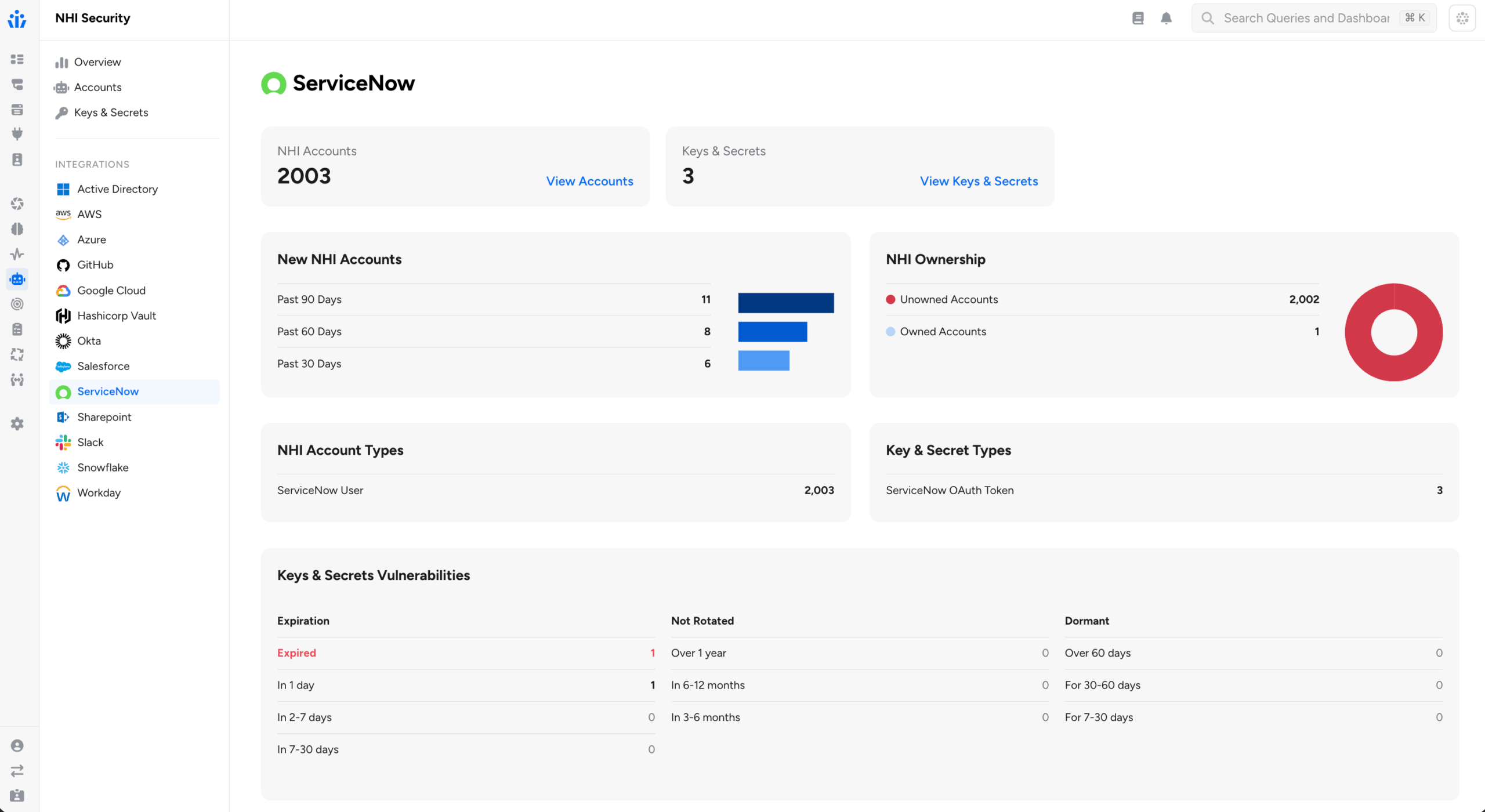
ServiceNow OAuth: The ServiceNow integration now discovers OAuth Applications, OAuth Profiles, and OAuth Tokens as Non-Human Identity entities. This helps security teams to identify long-lived or stale OAuth tokens, determine which users hold active tokens, and understand the scopes and authentication mechanisms in use across ServiceNow OAuth integrations.
- OAuth Tokens include expiry metadata and are linked to the user or application that holds them and to the OAuth Profile under which they were issued.
Automatic NHI Owners Assignment: Enrichment rules support establishing NHI ownership (or assigning an owner to any other entity in Access Graph). Owner enrichment rules can now dynamically identify owners using graph properties, supplementing the original capability to assign owners based on existing attributes.

Administrators now configure templates that reference a property on the entity to enrich, or on a related entity found through a second assessment query. Veza substitutes the actual property value at enrichment time.
Two patterns are supported:
- Direct property resolution: The enrichment rule’s owner template references a property on the entity itself using {{property_name}} syntax. For example, you can assign ownership of resources based on an attribute already stored on that entity in the Access Graph, such as a tag value or department field.
- Related entity resolution: When a second query is configured, Veza traverses the graph to find a related entity (for example, an Okta user linked to a service account) and reads a property from that related entity (such as the user’s email or manager_id) to determine the owner.
Because owner assignment is re-evaluated at each extraction cycle, ownership stays current as organizational data changes in connected identity providers and HRIS systems, without requiring administrators to maintain manual owner spreadsheets.
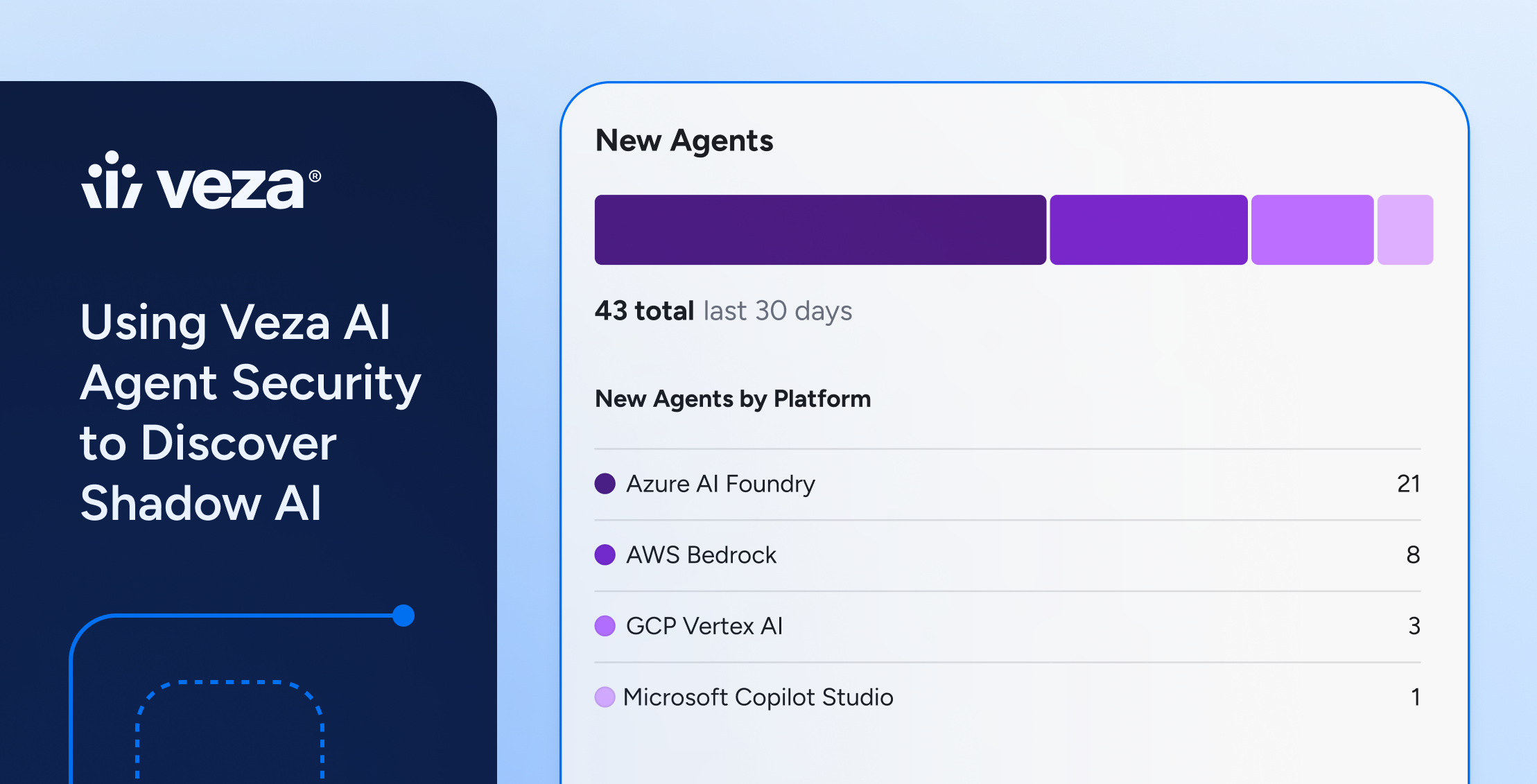
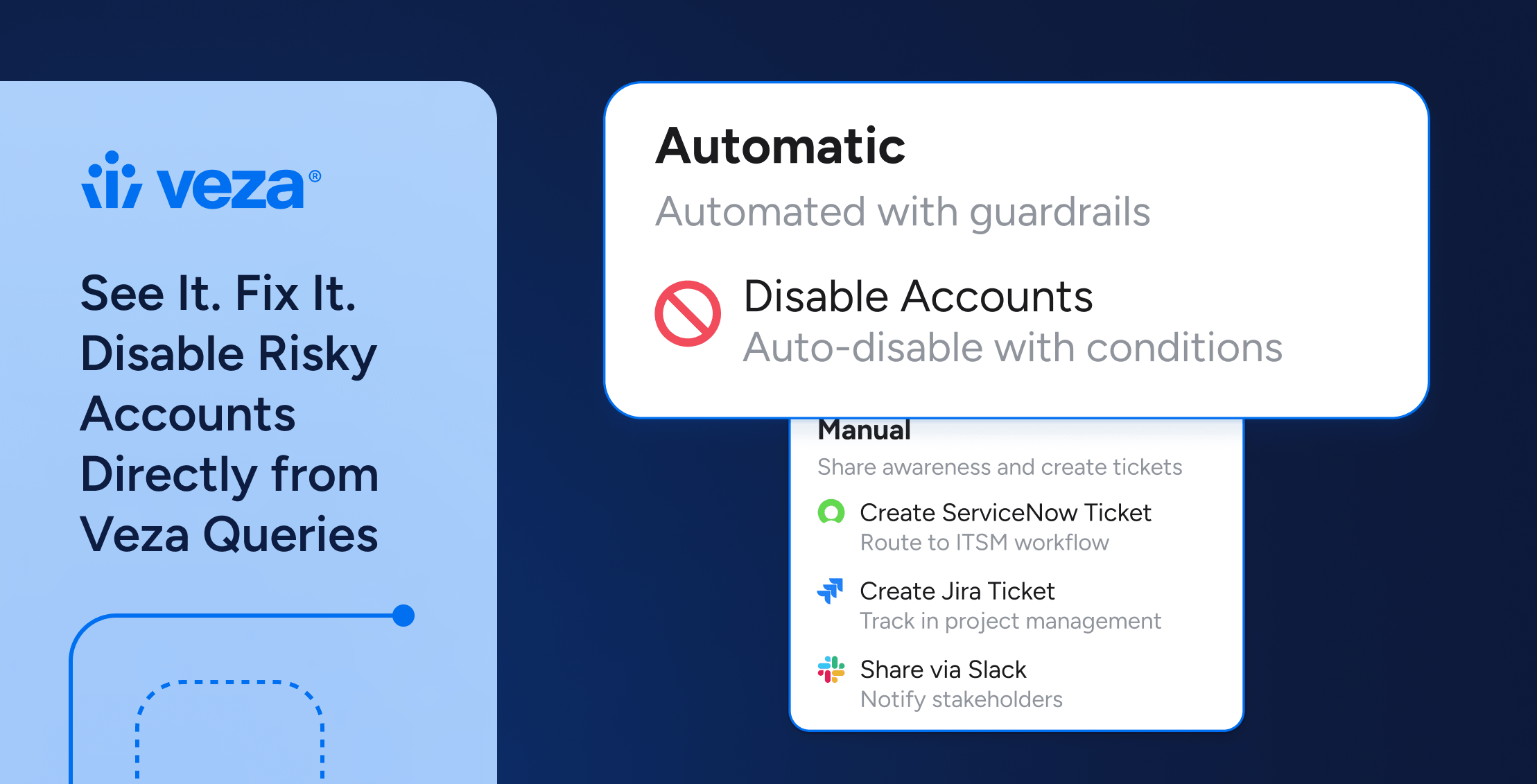
AI Agent Security Dashboard: Out-of-the-box risk dashboards mapped to industry standards (OWASP, NIST AI RMF), enabling teams to track AI agent sprawl, dormant identities, and access drift – with options to trigger automated workflows in ServiceNow or Jira.

Azure AI Foundry: The Azure integration now discovers Azure AI Foundry resources and RBAC permissions, including AI agents, projects, model deployments, vector stores, and guardrails. Agent identities are correlated to Azure AD managed identities.

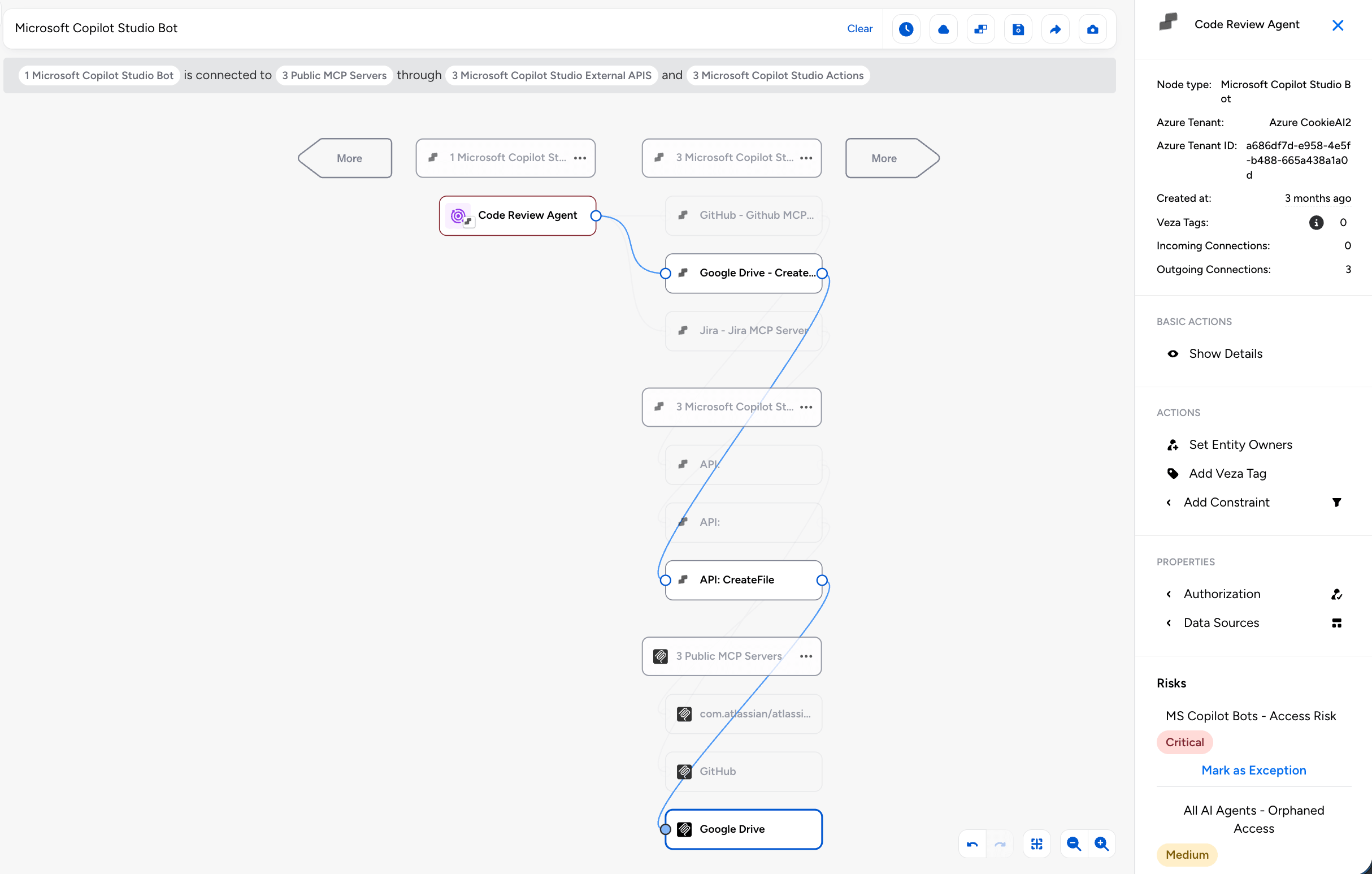
Public MCP Server Registry: Veza now provides visibility into a curated set of public MCP (Model Context Protocol) servers, tracking their capabilities and connecting them to your AI agent authorization context.
- The integration fetches server listings from the official MCP registry and actively discovers the tools each server exposes by connecting to its HTTP endpoint using the MCP protocol. For each server, Veza surfaces the tool name, description, and input/output schemas.
- When Microsoft Copilot Studio is also configured, Veza automatically links Copilot Studio agent nodes to the MCP servers they use, creating Maps To MCP Server edges in the Access Graph. This lets you trace which AI agents have access to which MCP-enabled services (GitHub, Atlassian, Slack, Salesforce, and more).
Lifecycle Management (LCM)
New Features
Predictive Safety Limits: Lifecycle Management policies now support Predictive Safety Limits, which evaluate the expected scope of a policy and workflow execution before any changes begin and block the run if the projected number of affected identities would exceed configured thresholds.
This helps prevent unintended mass processing of identities occurring when upstream attribute changes in a Source of Identity would otherwise trigger unnecessary workflows across a large population. Safety limits are supported at both the policy level and individual workflow level for more granular control.
With this release, the original Safety Limit feature is renamed Hard Limit to clearly distinguish reactive behavior (which stops processing mid-run) from predictive behavior (which blocks before execution starts).
Property Change Detection: Lifecycle Management now exposes sys_attr_changed__
- For example, the condition department_name eq ‘Sales’ and sys_attr_changed__department_name eq true fires only when an employee transfers into the Sales department, not on any other update to that record.
- Multiple properties can be combined with OR logic to catch any significant change across attributes such as department, manager, title, or location.
Enhancements
Bulk dry runs now surface which identities have attribute values that would change if the policy ran, and filtering the results table to show only those identities. A new Has Attribute Changes filter in the bulk dry run results table enables focused review of accounts that are actually out of sync with policy intent.
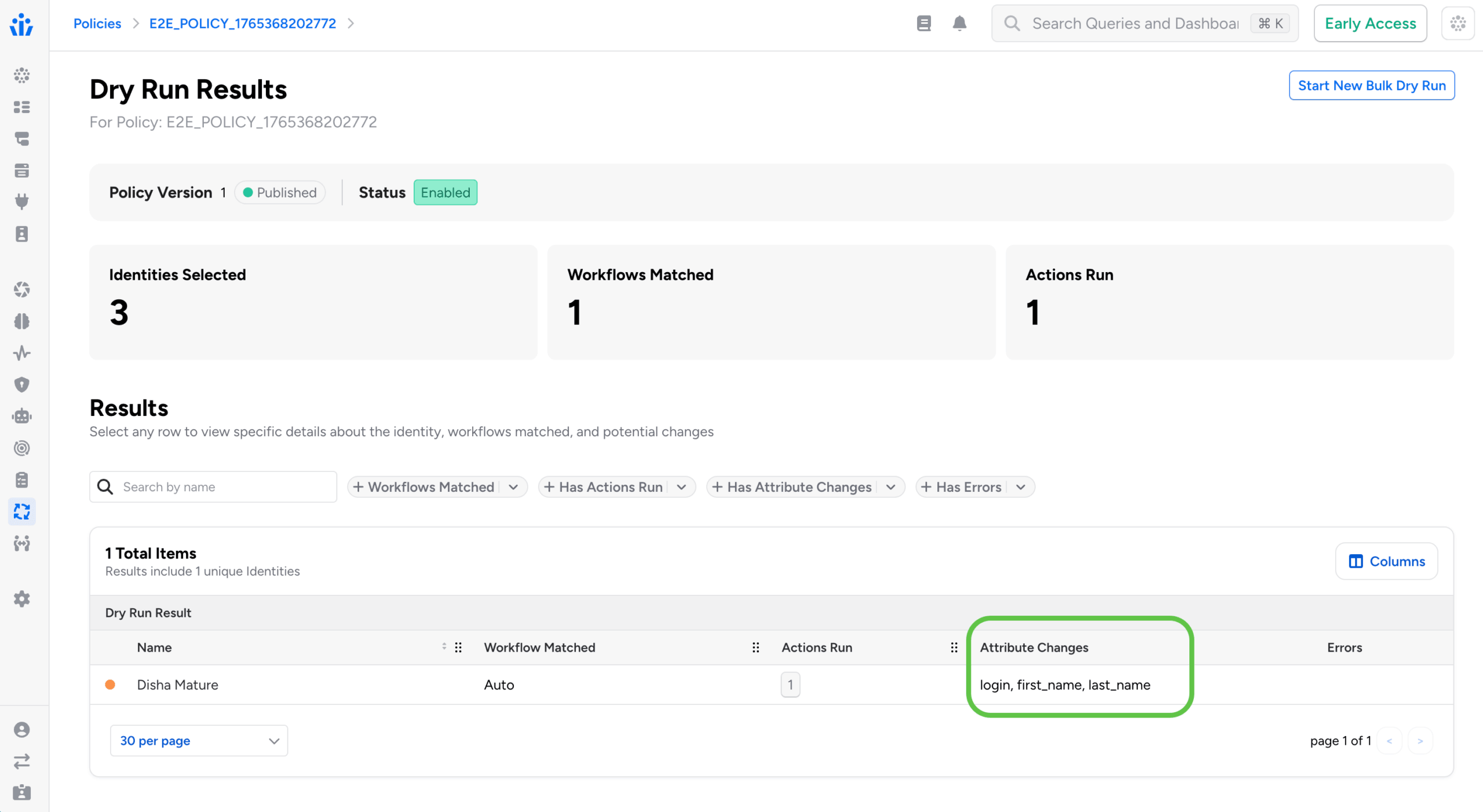
For each changed attribute, the dry run records 1) the value Veza last synced, 2) the value currently observed in the target system (which may have drifted), and 3) the value the policy would write. This makes it easier to distinguish configuration drift from expected policy-driven updates.
Send REST Payload: The Send REST Payload action is now generally available for all Veza customers. This action enables Lifecycle Management policies to call external APIs and web services as steps within provisioning workflows, expanding what workflows can automate beyond systems with native Veza integrations. The action supports:
- OAuth2 authentication
- Custom HTTP headers
- JSON payload formatting with attribute transformers
- Response entity extraction for use in downstream workflow actions
JSON Payload Autocomplete: When configuring a Send REST Payload action, the JSON Payload field now provides intelligent autocomplete suggestions for available source attributes and transformers.
- Typing {} inside a JSON string value opens the full suggestion menu, which includes source attributes, transformer functions (UPPER, LOWER, TRIM, and others), lookup table references, and additional available formatters. This makes it faster to construct well-formed payloads without consulting separate reference documentation.
New Identity System Attribute: The trigger condition editor now provides autocomplete support for the sys_attr__is_new_identity system attribute, for writing conditions that target newly created identities and build reliable joiner workflows without manually entering the attribute name.
Identity CSV Export: Administrators can now export identity data directly from the Identities table to CSV. When exporting, users can select which columns to include and optionally add historical change records to the export. This supports compliance audits and cross-system reconciliation without requiring a separate reporting tool or API query.
Identity Internal Metadata: A new Internal Metadata tab is now available in the Identity Details view. When enabled via Lifecycle Management > Settings > Identity Settings > Show internal metadata, the tab displays internal Lifecycle Management sync state including synced entities, action run history, workflow failures, and synced relationships.
- Administrators can now clear individual metadata sections to force a full resync from the identity source on the next sync cycle, helping troubleshoot sync issues without requiring a separate support workflow.
SCIM Alternate Identifiers: SCIM integrations now support alternate values for unique identifier attributes during user provisioning.
- When a username or email address is already in use, Veza automatically attempts the alternate values provided by attribute transformers rather than failing the provisioning request. This reduces manual intervention for identifier conflicts that arise when provisioning into systems with existing accounts.
Entitlement Descriptions: When a target application provides entitlement descriptions, these are now displayed in Access Request selection dropdowns, Catalog views, and Access Profile tables. For example, Azure AD role descriptions and Active Directory group descriptions appear alongside entity names, making it easier to understand what access is being requested or granted.
Note: individual releases can include additional bug fixes and performance improvements that are not detailed in these notes. For more information about any features or bug fixes, contact your Veza representative.